
Snake Border Tool is Live
A new free tool just dropped on Systemize Space. The Snake Border Tool v0.01 lets you add animated snake-style borders to any Systeme.io row, ready to use with just a few clicks. No CSS knowledge required.
Live Preview
This is the exact border the tool generates. Try it yourself.
The idea is simple. Most Systeme.io pages look clean but static. Rows have borders, sure, but they're flat. Static. Forgettable. The Snake Border Tool changes that by letting you add a subtle, continuously animated border that traces around your rows, giving the entire page a more polished and dynamic feel without touching a single line of code yourself.
What It Does
The Snake Border Tool generates a custom CSS snippet that creates a rotating gradient border around any Systeme.io row. You choose the colors, the speed, and the target element. The tool writes the code. You paste it.
The result is a smooth, looping border animation that runs directly in the browser. No JavaScript. No external libraries. No performance hit. Just pure CSS that you paste into a raw HTML block inside Systeme.io.
- Works on all page types: Funnel pages, website pages, blog pages, course pages. If it's a Systeme.io page with rows, the tool works.
- Zero dependencies: The output is pure CSS. Nothing to install, nothing to maintain, nothing that breaks when Systeme.io updates.
- Customizable output: Adjust the animation speed, border width, and colors inside the tool. What you see in the preview is what your visitors see on the page.
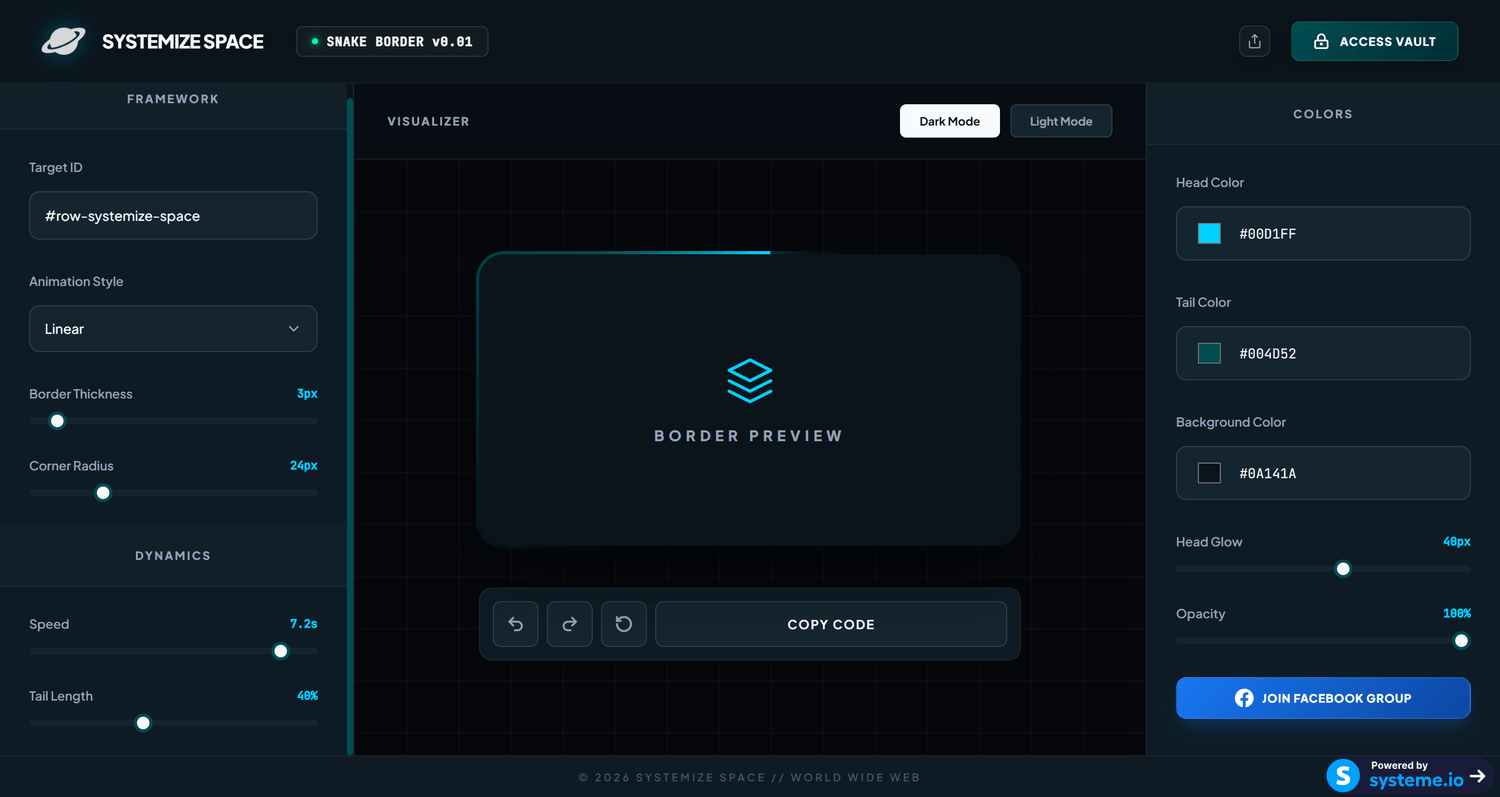
Snake Border Tool v0.01 running inside Systeme.io
Launch the Snake Border ToolHow It Works
Five steps. That's it.
-
Find your row ID attribute
In the Systeme.io page builder, click your target row, open its settings, scroll to the bottom, and find the ID attribute field under (Advanced) HTML attributes. Copy that value.
-
Paste it into the tool
Open systemize.space/snake-border-tool and paste your ID into the Target ID field.
-
Customize your border
Adjust the colors, animation speed, and border width. The live preview updates in real time so you see exactly what you're getting.
-
Copy the generated CSS
Hit the copy button. The tool gives you a clean, production-ready CSS snippet.
-
Paste and activate
In your Systeme.io page builder, drag a raw HTML block and place it directly under the row you want to style. Paste the generated code inside that raw HTML block. The animated border goes live immediately.
Frequently Asked Questions
-
What is the Snake Border Tool?
The Snake Border Tool is a free web tool by Systemize Space that generates animated snake-style CSS borders for Systeme.io rows. You paste your row element ID, customize the animation, and copy the generated CSS code into your Systeme.io page.
-
How do I find my row ID in Systeme.io?
In the Systeme.io page builder, click on the row you want to style, open its settings, scroll to the bottom, and find the ID attribute field under (Advanced) HTML attributes. Copy that value and paste it into the Snake Border Tool.
-
Where do I paste the generated code in Systeme.io?
In the Systeme.io page builder, drag a raw HTML block and place it directly under the row you want to style. Paste the generated CSS code inside that raw HTML block. The snake border will apply automatically to the targeted row.
-
Is the Snake Border Tool free to use?
Yes. The Snake Border Tool is completely free. Visit systemize.space/snake-border-tool to use it directly in your browser. No sign-up required.
-
Does the Snake Border Tool work on all Systeme.io page types?
Yes. The generated CSS works on any Systeme.io page that supports custom CSS, including funnel pages, website pages, blog pages, and course pages.
-
Do I need coding experience to use the Snake Border Tool?
No. The tool handles all the code generation. You just copy your row ID, customize the look, and paste the output. No CSS knowledge required.