
Coupon Game Builder
There is a new tool inside the Systemize Space Vault. The Coupon Game Builder v0.01 turns a simple coupon code into an interactive mini game where visitors collect tokens to unlock the deal. It is a premium tool available with Vault access.
You open it, you build your game, you customize every detail, you copy the raw HTML embed code, and you paste it into any page that accepts raw HTML.
I mention Systeme.io because that is my backend engine where all the codes live, but the output works on any platform with a raw HTML block. That is the whole workflow, and it takes about five minutes from start to published.
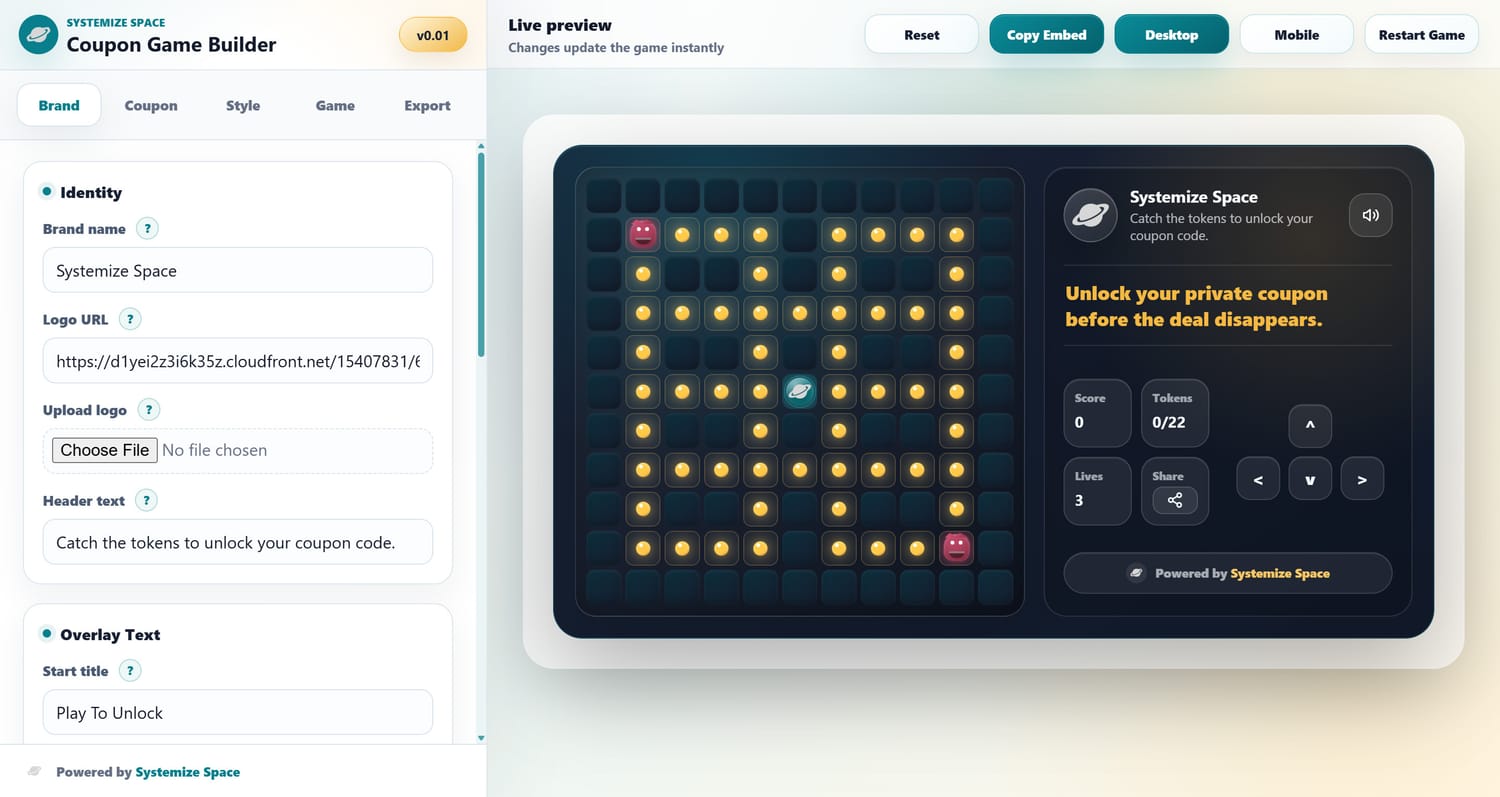
I built this because every Systeme.io creator who runs a discount, a flash sale, or a promo deal runs into the same wall. A plain coupon code sitting on a page is forgettable. It does not create urgency.
It does not create engagement. It does not make anyone feel anything. The Coupon Game Builder fixes that by turning the reveal into a game. Visitors navigate a grid, collect golden tokens, avoid enemies, and when they win, the coupon unlocks.
The discount feels earned. The interaction feels alive. The page feels like something people actually want to stay on.
Turn a simple coupon code into an interactive game. Visitors collect tokens, unlock the deal, and your page becomes something they remember.
What It Does
Here is what the tool actually gives you. You set your brand with your logo, name, and messaging. You configure the coupon code, the discount label, and how the copy button works. You pick a visual style from six presets or build your own color scheme from scratch.
You set the game rules including difficulty, number of tokens to win, and sound. You preview the result live on both desktop and mobile. When it looks right, you copy the raw HTML embed code and paste it into any page that accepts raw HTML.
I build for Systeme.io because that is my backend engine, but the generated code works on any platform that supports raw HTML blocks. The game is fully self-contained. It loads fast, it plays smoothly, and it works on every device without any external dependencies.
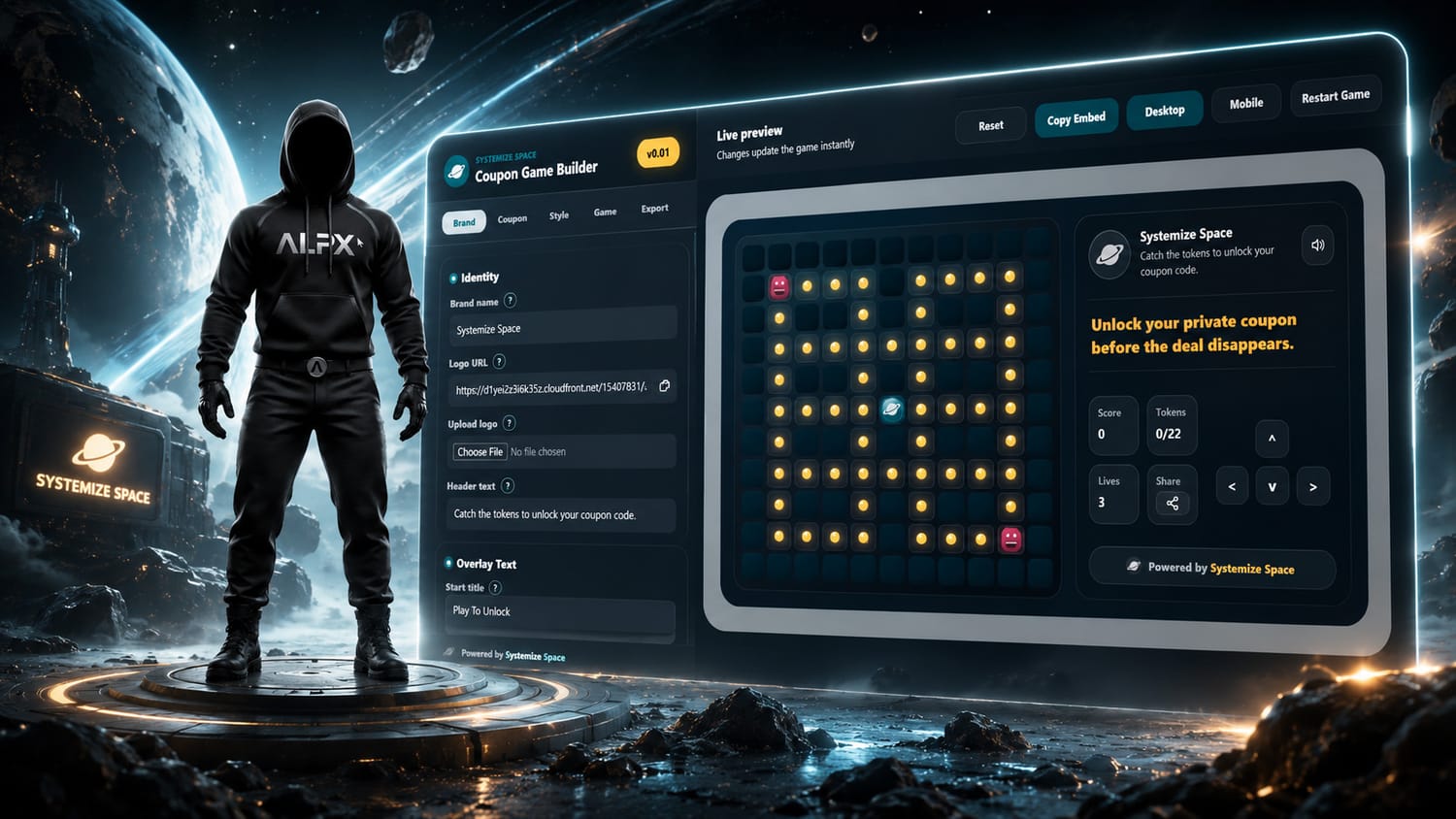
The Coupon Game Builder. Set your brand, configure the coupon, choose a style, adjust game rules, preview on desktop and mobile, copy the embed code.
- Brand customization: Upload your logo, set your brand name, customize the header text, start title, overlay messages, win text, lose text, and share copy. Every word the visitor sees is yours to control, so the game feels like it belongs on your page, not like a generic widget you pasted in. This level of customization means your players never feel like they left your site.
- 6 style presets with full color control: Pick from Academy, Tech, Sunset, Ocean, Candy, or Midnight as a starting point, then adjust every color individually. Primary, accent, background, panel, text, and danger colors are all yours to tune. The presets give you a fast start, and the manual controls let you dial in exactly what your brand needs. No design skills required.
- Coupon code and copy button: Set your discount label, coupon code, and copy button text. When a visitor wins the game, the coupon code appears with a one-click copy button and a custom confirmation message. No manual highlighting, no selecting text. One tap and the code is on their clipboard, ready to paste at checkout.
- Game difficulty and token settings: Choose between easy, medium, and hard difficulty. Set how many tokens visitors need to collect to win. Toggle sound on or off. The difficulty setting controls how fast enemies move and how many lives the player gets. This gives you full control over how accessible the coupon is. Want everyone to win? Set it to easy. Want it to feel like a real challenge? Crank it up.
- Win, lose, and share copy: Customize the message visitors see when they win, when they lose, and when they hit the share button. The share feature generates a ready-to-send message with your custom copy, making it easy for players to spread the word about your offer. This is built-in virality without any extra plugins or integrations.
- Desktop and mobile live preview: See exactly how your coupon game will look on both desktop and mobile before you copy the code. The preview matches the exported result, so there are no surprises after you publish. Toggle between screen sizes instantly and adjust until it is perfect.
How It Works
Building your coupon game takes about five minutes. Here is the full workflow from opening the tool to having the game live on your Systeme.io page.
Each step is designed to be fast and visual. You see changes instantly in the live preview, so you never have to guess what the final result will look like.
-
Access the Vault
Go to systemize.space/vault and navigate to Utility Library then Coupon Game. The Coupon Game Builder opens in your browser. No downloads. No installs. It works on any device with a modern browser.
-
Set your brand
Enter your brand name, upload your logo, and customize the header text, start title, and overlay messages. This is what visitors see before and during the game. Every text field is editable, so the experience feels native to your brand from the first screen to the last.
-
Configure the coupon
Enter your discount label, coupon code, coupon prefix, copy button text, and copied confirmation text. This is the reward visitors unlock when they win the game. The copy button makes it frictionless. One tap and the code is on their clipboard.
-
Choose your style
Pick from 6 style presets or customize every color individually. Adjust the primary, accent, background, panel, text, and danger colors so the game matches your brand perfectly. The presets give you a head start. The manual controls give you precision.
-
Set the game rules
Choose the difficulty level, set how many tokens visitors need to collect to win, and toggle sound on or off. Customize the win and lose messages and the share copy. You control the challenge, the reward messaging, and the social sharing angle.
-
Copy the embed code and paste it into your page
When you are happy with the design and game settings, copy the raw HTML embed code. Paste it into any page that accepts raw HTML. If you use Systeme.io, drag a raw HTML block where you want the game and paste the code inside. The output works on any platform with a raw HTML element. Save and preview. Your interactive coupon game is live.
Why a Game, Not a Form
A plain coupon code on a page does one thing. It gives someone a discount. That is fine, but it is also forgettable. The visitor copies the code, uses it, and moves on. There is no moment. No interaction. No reason to stay on the page longer than five seconds.
The Coupon Game Builder changes the dynamic completely. Instead of handing out the code for free, you make the visitor earn it. They navigate a character across a grid. They collect golden tokens. They dodge enemies. And when they cross the finish line with enough tokens, the coupon code reveals itself with a satisfying unlock moment.
This matters for three reasons. First, engagement. A game keeps visitors on your page longer. The average time on page goes up. The bounce rate goes down. Search engines notice.
Second, perception. When someone earns a discount through gameplay, it feels more valuable than a code they just found sitting there. They are more likely to use it, and they are more likely to remember your brand.
Third, sharing. The built-in share button with custom copy makes it easy for players to tell their friends about the game and the offer. That is organic reach without spending a dollar on ads.
The game is also a statement. It says your brand does things differently. You are not just running another sale. You are creating an experience.
That is the difference between a page that converts and a page that people talk about. The Coupon Game Builder gives you that difference without writing a single line of code yourself.
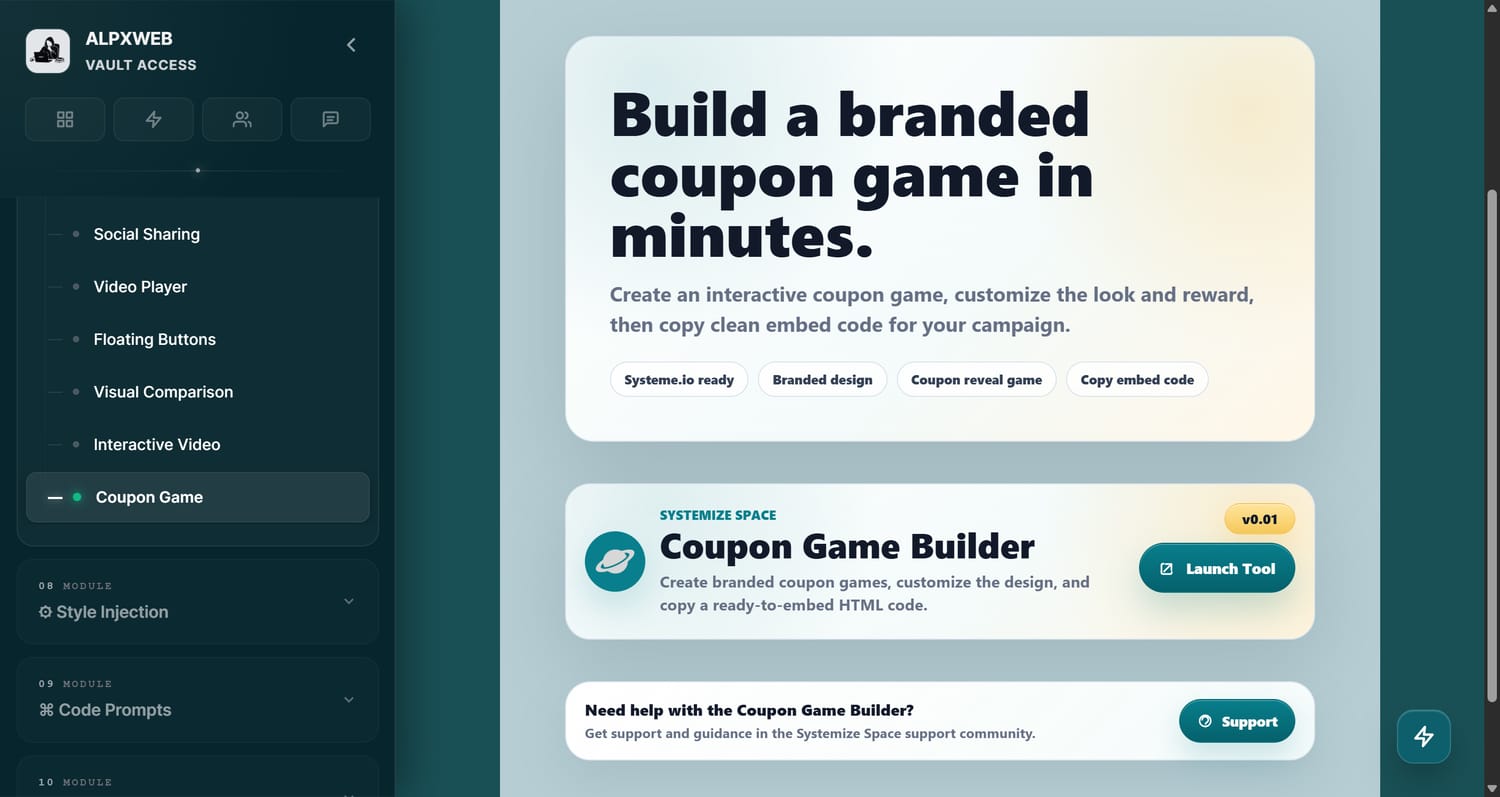
The Coupon Game Builder inside the Systemize Space Vault. Available under Utility Library in the Vault dashboard.
Premium Tool. Vault Access Required.
The Coupon Game Builder is a premium tool available exclusively inside the Systemize Space Vault. Get access to this tool and the full library of premium tools, custom codes, snippets, AI prompts, and resources. Build once. Engage forever.
Get Vault AccessSee It in Action
Watch the Coupon Game Builder in action. This short demo shows how the game plays from the visitor perspective. Navigate the grid, collect golden tokens, avoid enemies, and unlock the coupon code. Every element you see here is fully customizable inside the builder.
 My Backend Engine
Raw HTML. Works everywhere.
The generated embed code is raw HTML designed for the Systeme.io raw HTML block, but it works on any page that accepts raw HTML.
I build for Systeme.io because that is my backend engine where all the codes live. No JavaScript conflicts, no external dependencies, no rendering issues. Paste it in, save, and the game plays perfectly on your published page. Works on desktop and mobile without any extra configuration.
Get Systeme.io Free AccessFrequently Asked Questions
-
What is the Coupon Game Builder?
The Coupon Game Builder is a premium vault tool by Systemize Space that helps you create interactive coupon games for your Systeme.io pages. Visitors play a token-collecting game to unlock a discount code. You customize the brand, coupon, style, game difficulty, and messaging, preview everything on desktop and mobile, then copy the embed code and paste it into a raw HTML block on your page.
-
How does the coupon game work?
Visitors navigate a character on a grid to collect golden tokens while avoiding enemies. They have a limited number of lives. When they collect enough tokens, they unlock the coupon code with a copy button. If they lose all their lives first, they get a retry screen. The game turns a plain coupon code into an interactive experience that increases engagement and makes the discount feel earned.
-
Is the Coupon Game Builder free?
The Coupon Game Builder is a premium tool available inside the Systemize Space Vault. You need Vault access to use it. Visit systemize.space/vault to get started.
-
Where do I paste the generated code?
The generated code is raw HTML that works on any page that accepts raw HTML. If you use Systeme.io, drag a raw HTML block and place it where you want the coupon game to appear, then paste the embed code inside. The game will render automatically on your published page. I build for Systeme.io because that is my backend engine, but the output works on any platform with a raw HTML element.
-
Can I customize the game difficulty?
Yes. The tool lets you set the difficulty level, the number of tokens visitors need to collect to win, and whether sound is enabled. You can adjust these settings to make the game easier or harder depending on your audience and how accessible you want the coupon to be.
-
Can I customize the game colors and style?
Yes. The tool includes 6 style presets (Academy, Tech, Sunset, Ocean, Candy, Midnight) and full color control over primary, accent, background, panel, text, and danger colors. Every visual detail can be adjusted so the game looks native to your brand.
-
Can visitors share the game?
Yes. The game includes a built-in share button. You can customize the share title and share text. When visitors tap share, the game generates a ready-to-send message with your custom copy, making it easy for players to spread the word about your offer.
-
Where can I find the Coupon Game Builder?
The Coupon Game Builder is located inside the Systemize Space Vault under Utility Library then Coupon Game. Visit systemize.space/vault to access it.
Questions? Support? Join Us.
For any questions, help, or just to connect with fellow creators and entrepreneurs, welcome to my Facebook group. I share tips, updates, and behind-the-scenes content there regularly.
Join the Systemize Space Facebook Group